MHS TMS
Transport Management Software

Every order, truck and rupee — in one place.

Plan trips, assign vehicles and drivers, record every status update, collect proof of delivery, track fuel and expenses, raise GST invoices and see your profit per trip.

  • Own fleet + hired vehicles
  • GST-ready invoicing
  • Works on mobile
tms / dashboard
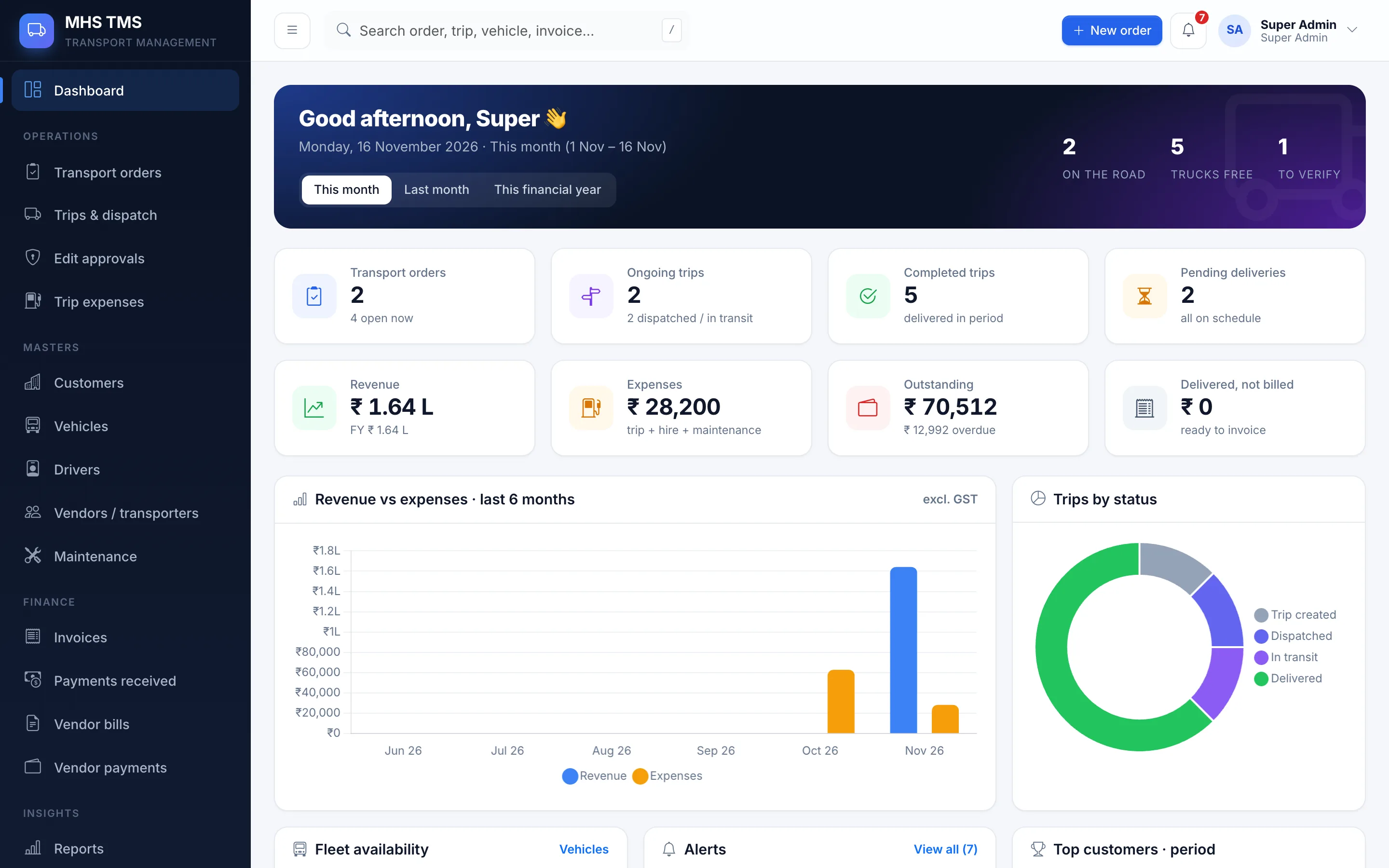
TMS dashboard with KPIs and charts
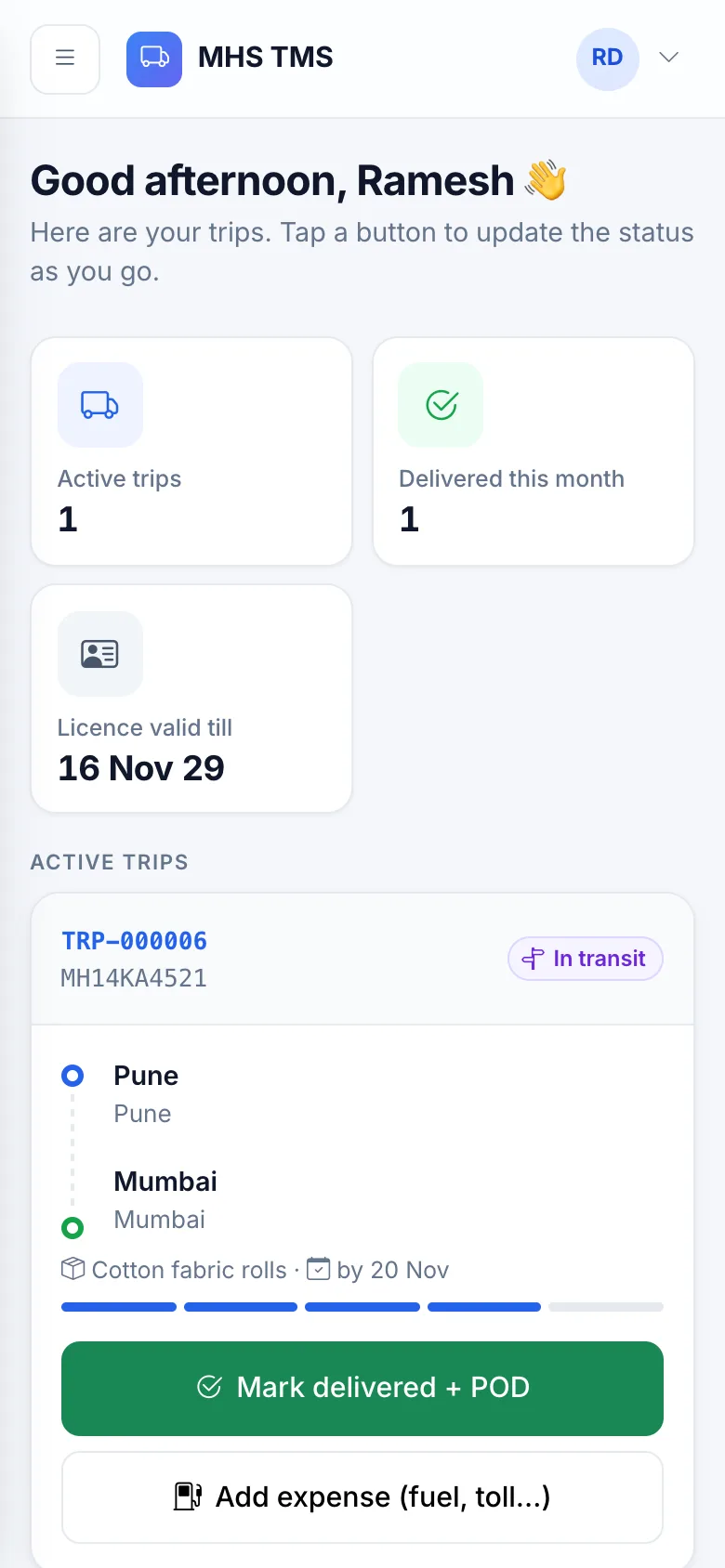
Driver mobile view
TRP-000006Delivered · POD uploaded
49.1% marginTrip profitability
12Modules
8User roles
9Reports
XLSX + PDFExports
100%Changes audited
How it works

From booking to payment in eight clear steps

Your team updates each step by hand — no GPS devices or tracking hardware needed.

  1. 1 Order created

    Customer requirement with pickup, delivery, goods & weight.

  2. 2 Verified

    Ops team checks goods, locations and delivery details.

  3. 3 Vehicle & driver

    Allocate an available truck and driver — expired papers are blocked.

  4. 4 Dispatched

    Start km recorded, trip sheet & LR printed.

  5. 5 In transit

    Manual progress updates with remarks and location.

  6. 6 Delivered + POD

    Signed challan / proof of delivery uploaded.

  7. 7 Expenses & invoice

    Fuel, toll, allowances → GST invoice.

  8. 8 Paid & closed

    Payments recorded, order closed.

Inside the app

Built for how transport teams actually work

Real screens from the application, with demo data.

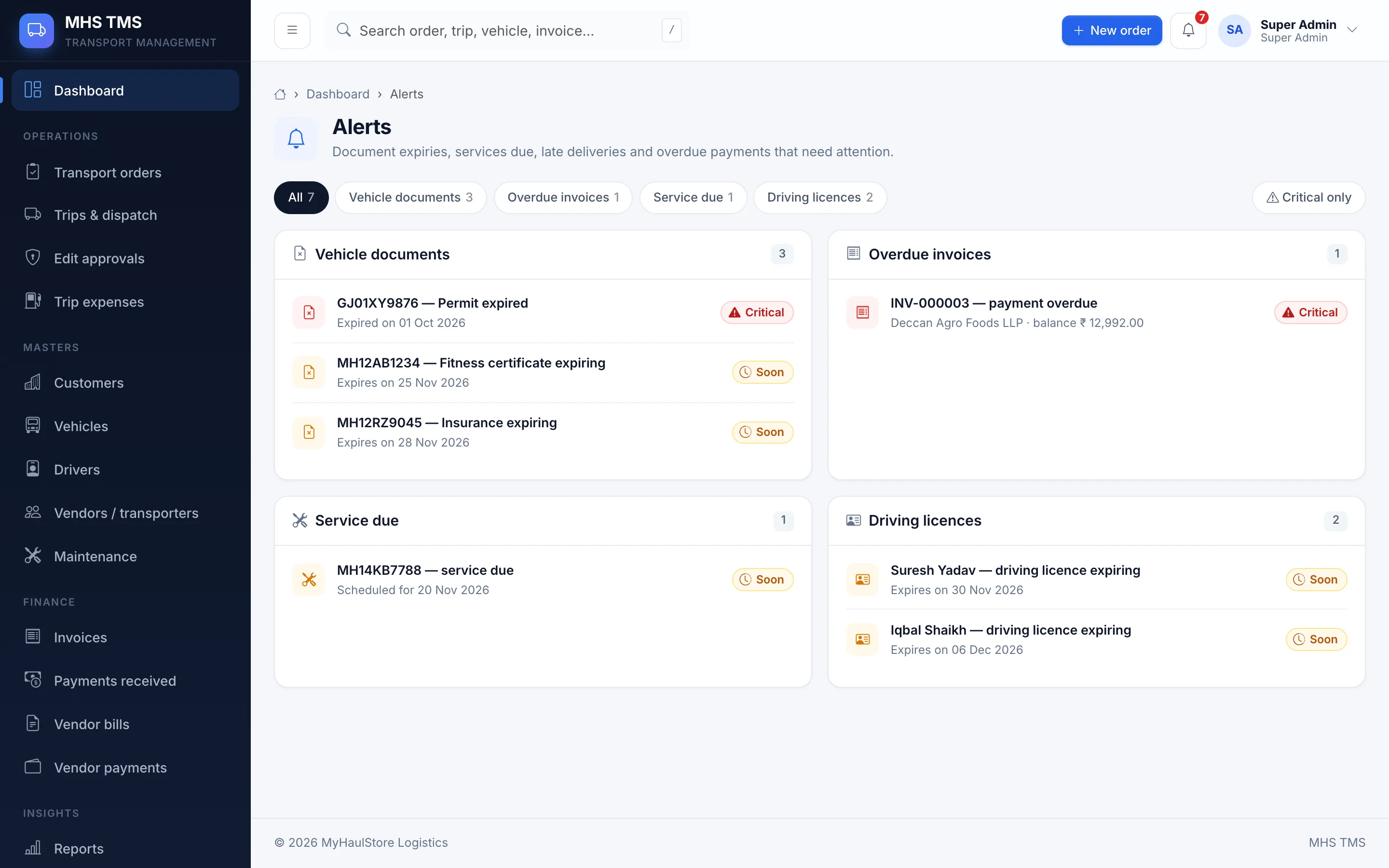
Dashboard

See the whole operation at a glance

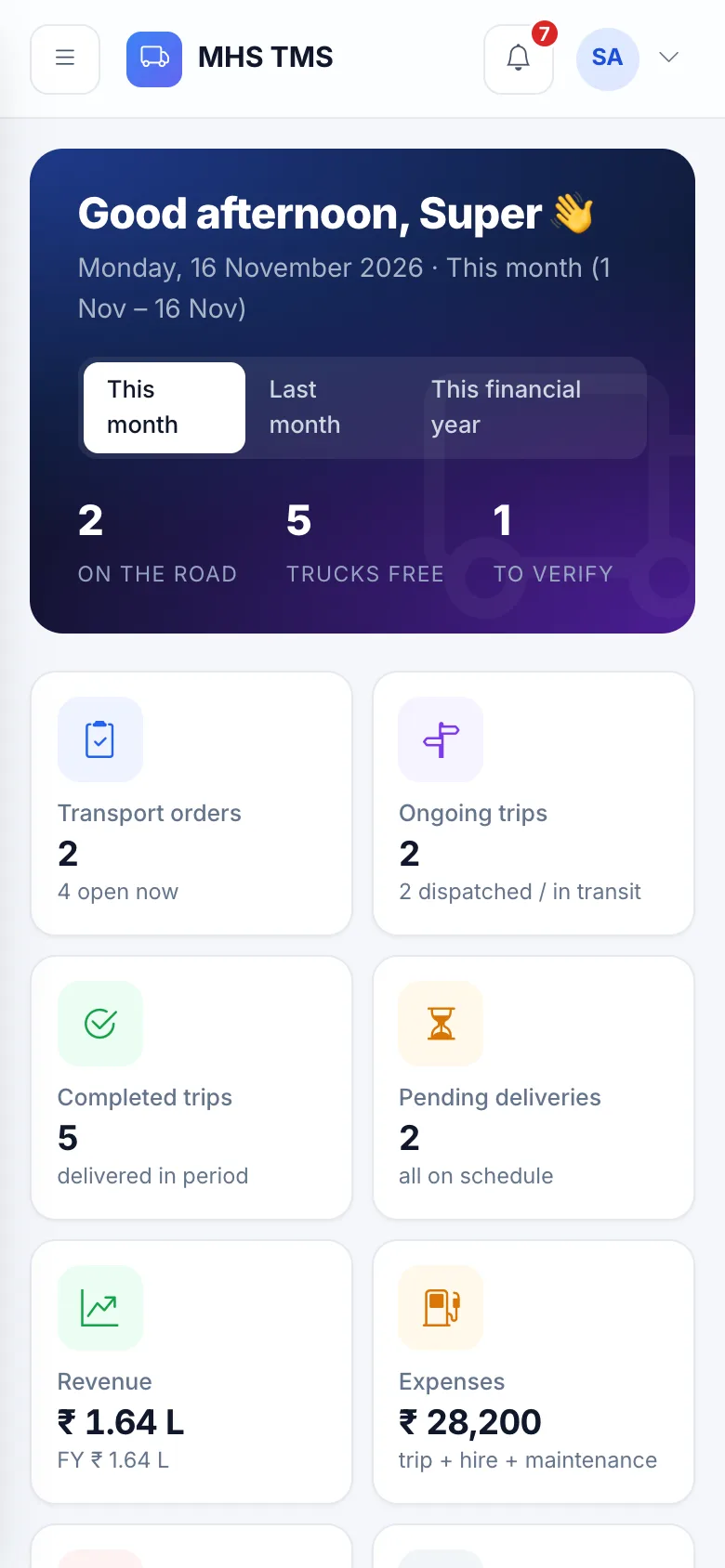
Orders, ongoing and completed trips, pending deliveries, available vs. assigned vehicles and drivers, revenue, expenses and outstanding — with charts and a period switch (this month / last month / financial year).

  • Revenue vs expenses chart (6 months)
  • Trips by status, top customers
  • Document-expiry & service-due alerts
  • Overdue deliveries and invoices
dashboard
Dashboard screen
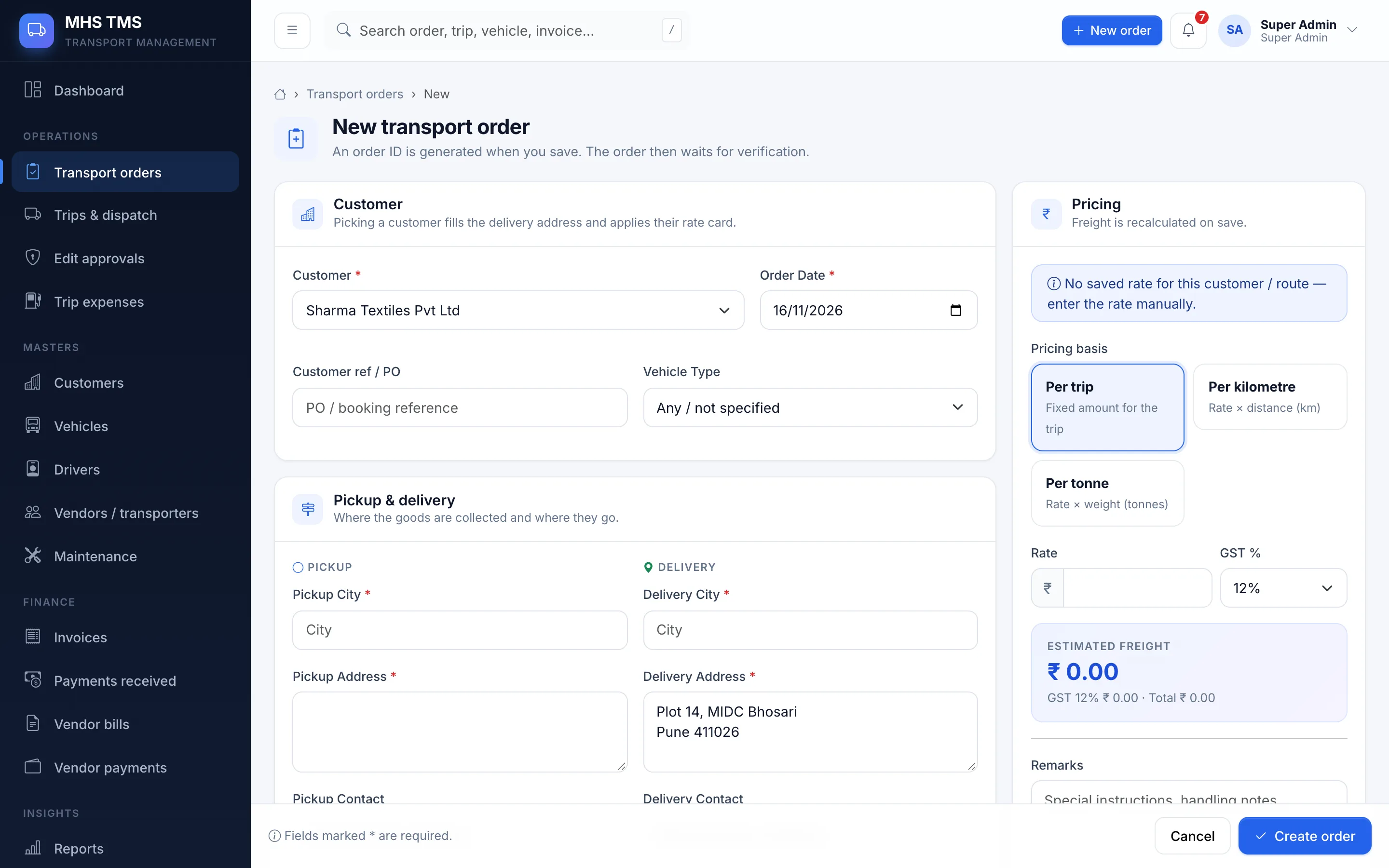
Transport orders

Book an order in under a minute

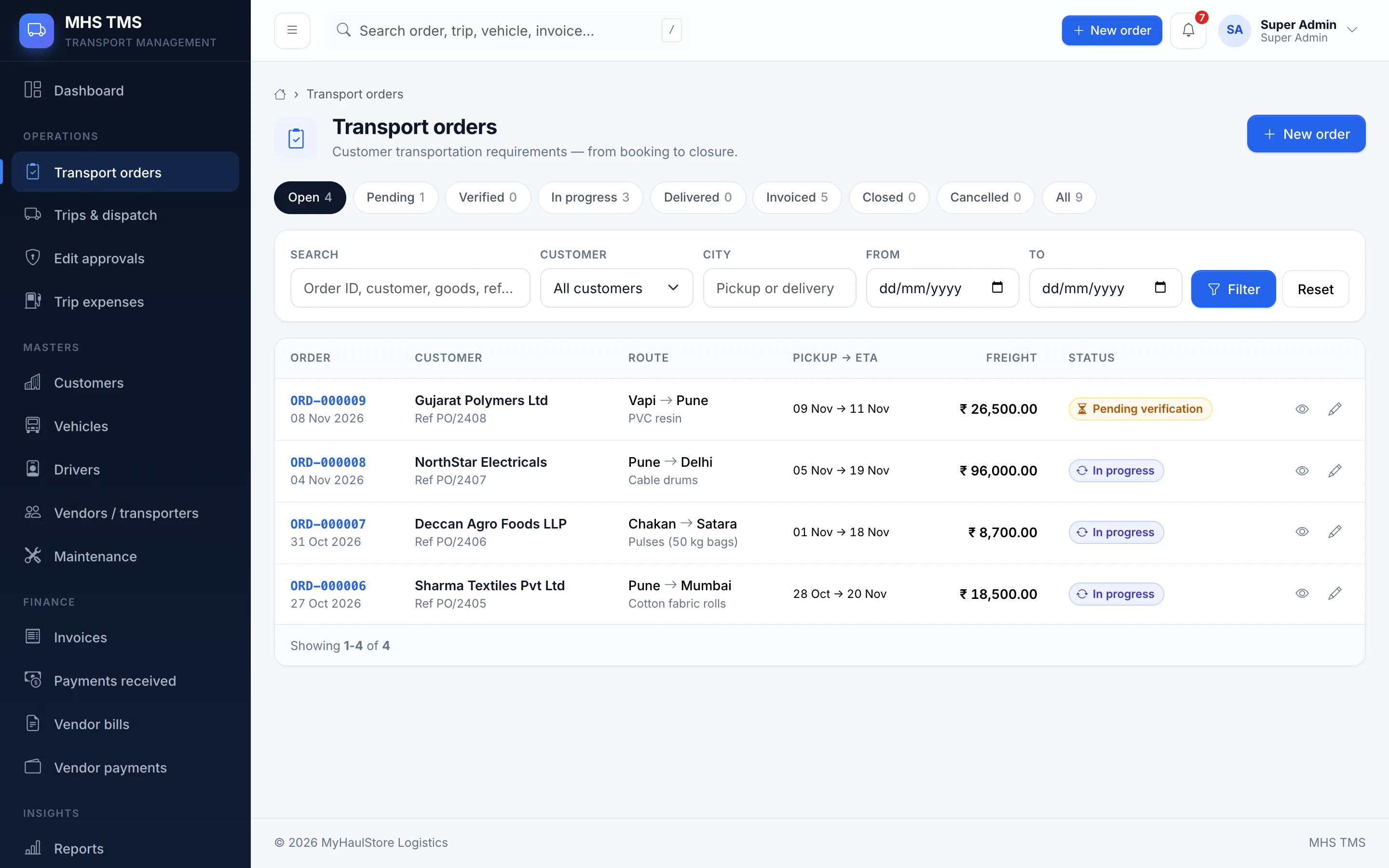
Pick a customer and the delivery address and their contracted rate fill in automatically. Choose per-trip, per-km or per-tonne pricing and the freight is calculated live, with GST.

  • Auto order ID (ORD-000001)
  • Goods, quantity, weight, dimensions
  • Pickup & expected delivery dates
  • Attach invoices, challans, e-way bills
transport orders
Transport orders screen
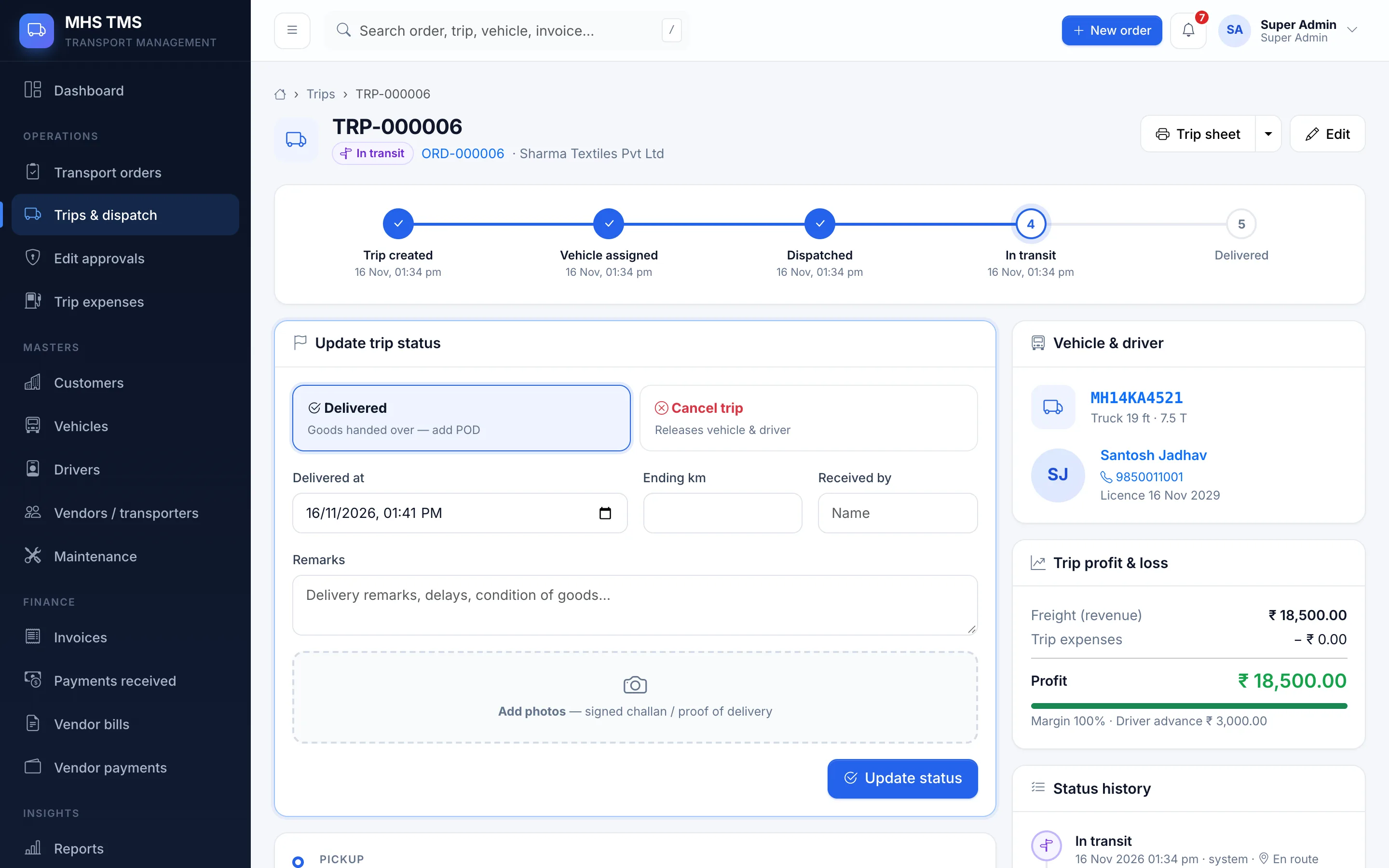
Trips & status

Every trip, step by step

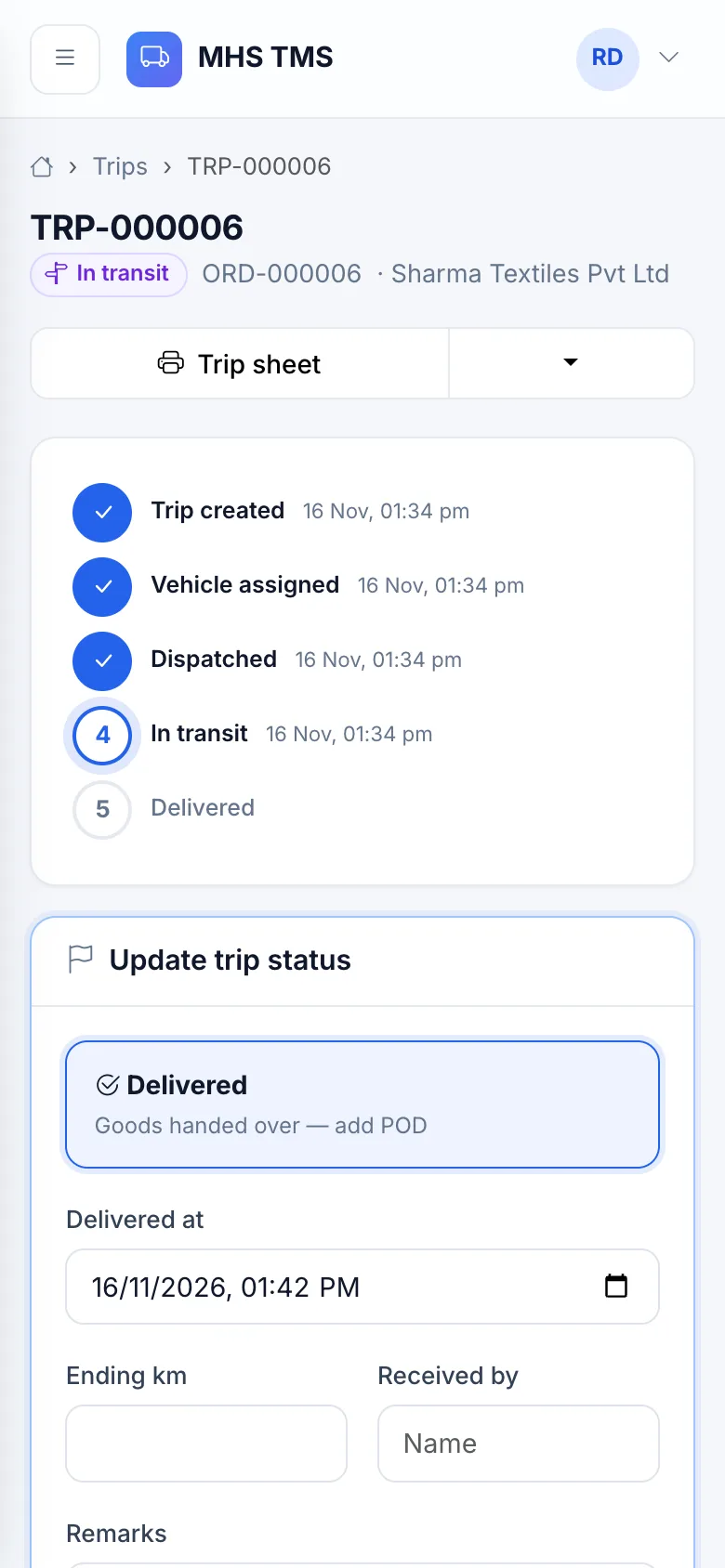
A clear progress tracker from Trip created → Vehicle assigned → Dispatched → In transit → Delivered. Each update records who did it and when, with remarks, km readings and proof-of-delivery photos.

  • Only valid next steps are offered
  • Trip profit & loss card
  • Trip sheet and lorry receipt (print / PDF)
  • Completed trips locked — edits need approval
trips & status
Trips & status screen
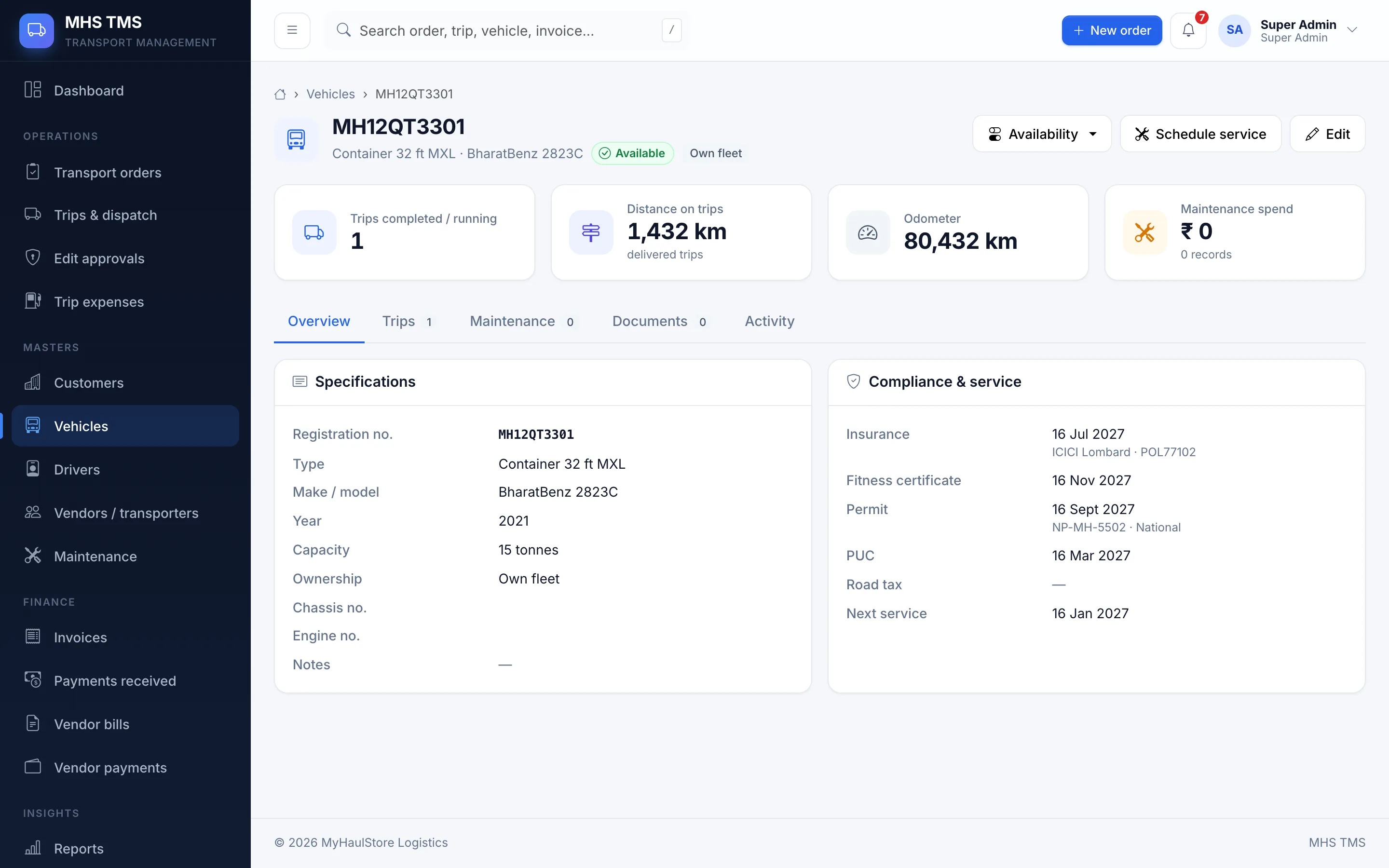
Fleet & drivers

Know which truck is free — and legal

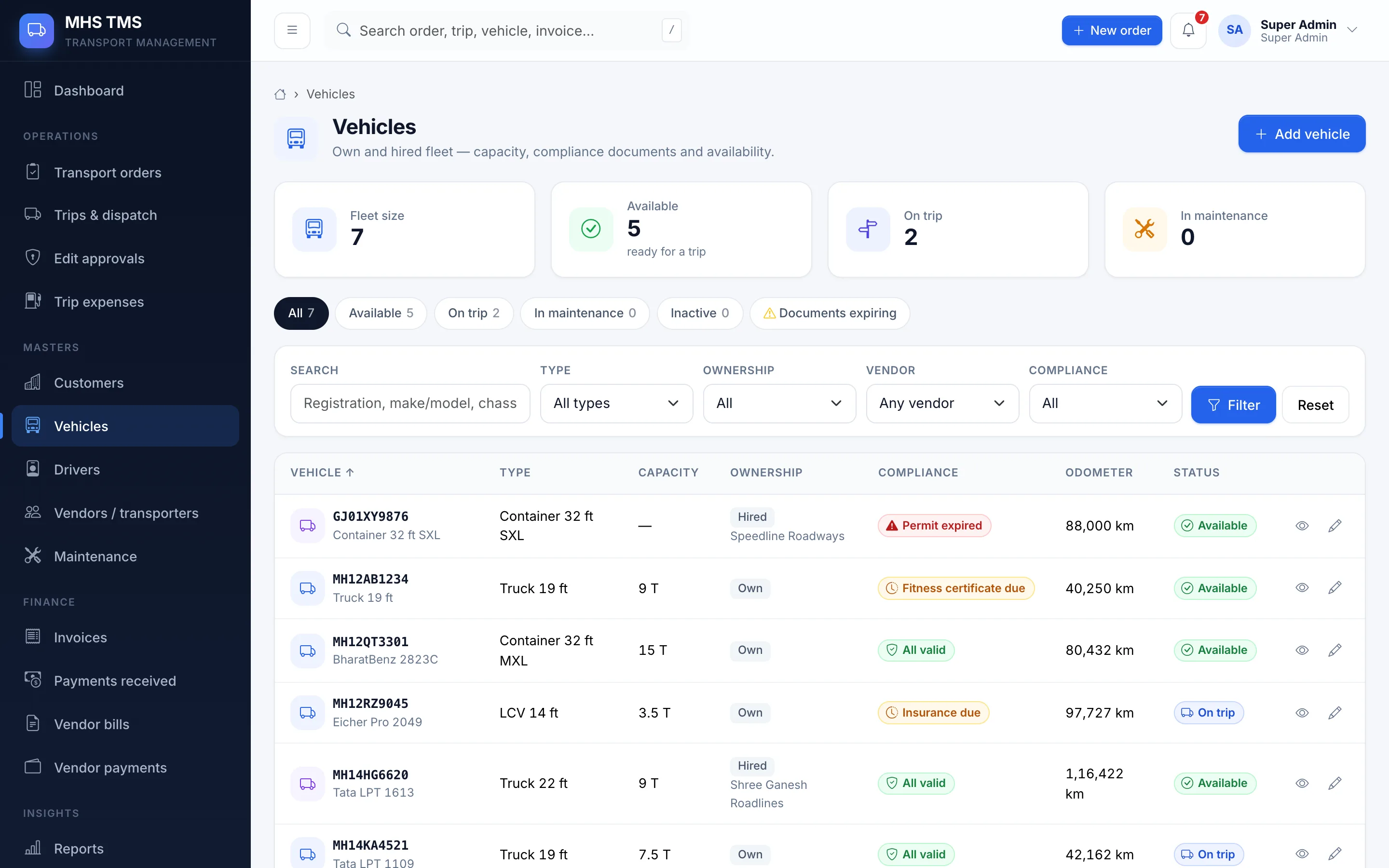
Registration, type, capacity, insurance, fitness, permit and PUC expiry for every vehicle; licence details for every driver. Availability updates itself as trips start and end.

  • Expiry alerts before papers lapse
  • Assignment & trip history
  • Own fleet and hired (vendor) vehicles
  • Maintenance takes a truck off the road
fleet & drivers
Fleet & drivers screen
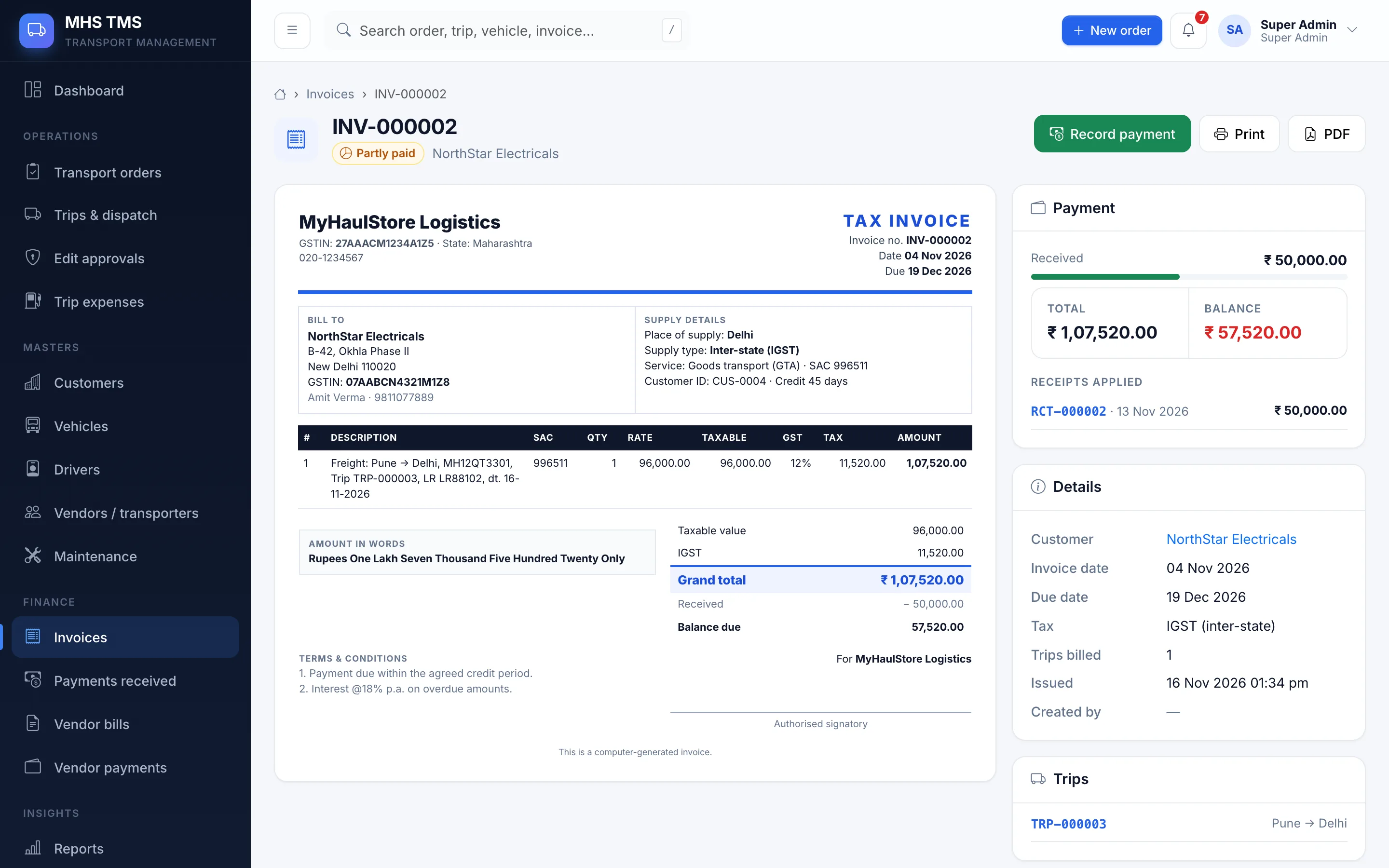
GST billing & payments

Invoices your accountant will like

Bill delivered trips in one click. CGST + SGST or IGST is decided by the customer’s state. Record advances, part and final payments, TDS, and see who owes what.

  • Draft → issue → cancel (no silent edits)
  • Amount in words, SAC code, bank details
  • Advances applied automatically
  • Receipts as PDF
gst billing & payments
GST billing & payments screen
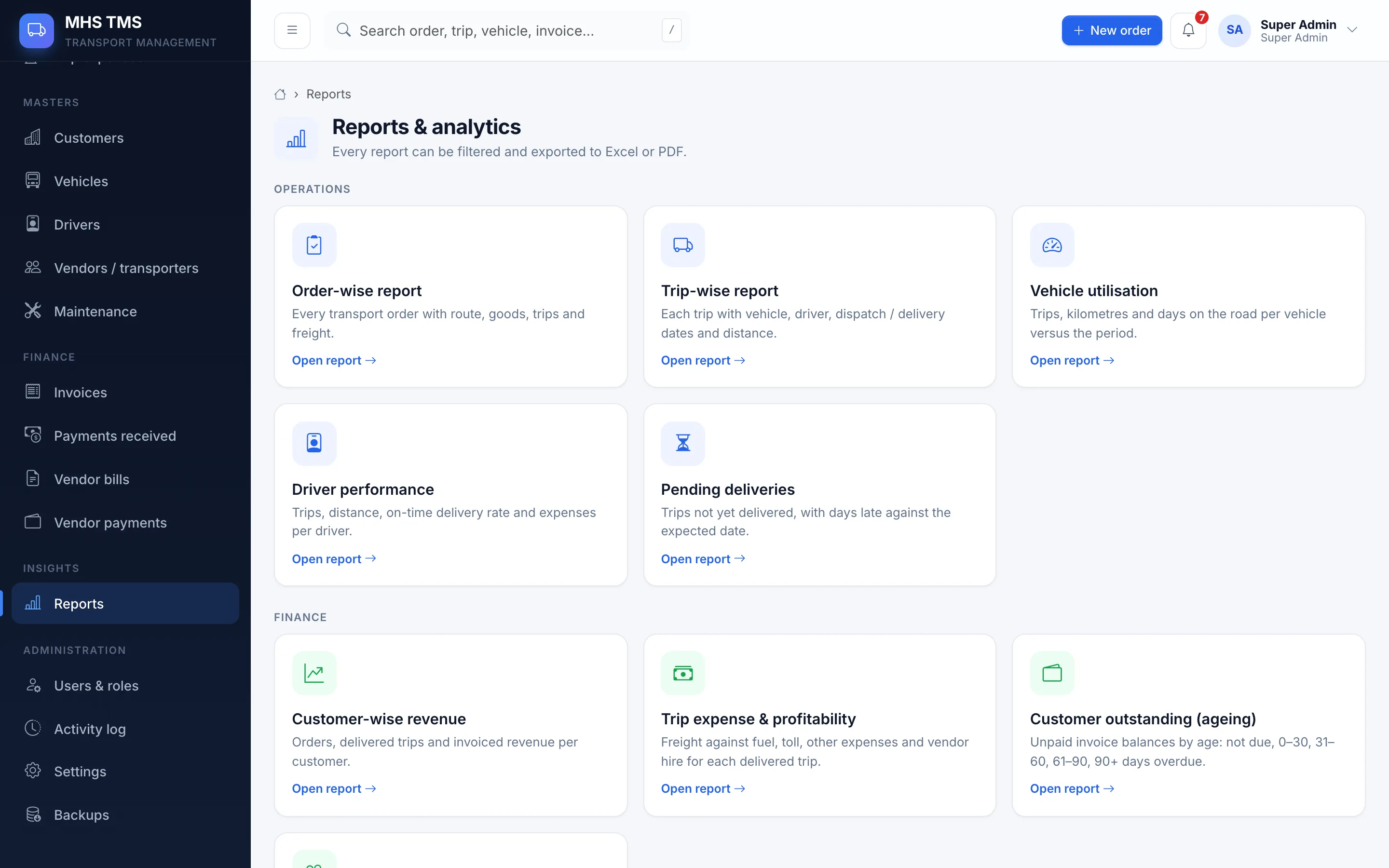
Reports & analytics

Numbers you can act on

Nine ready reports with filters and totals — each one downloads as Excel or PDF in a click.

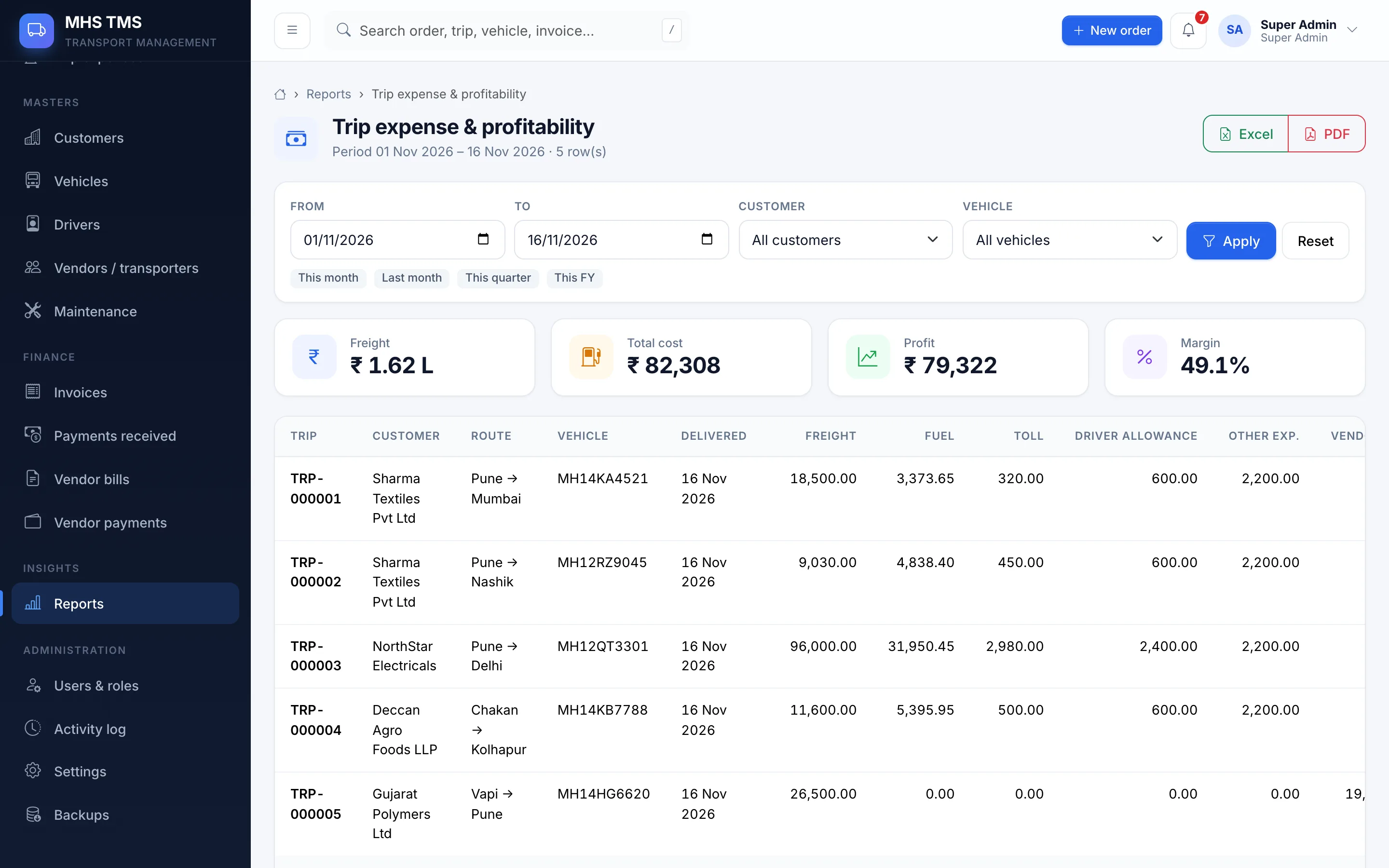
  • Trip-wise profitability & margin
  • Vehicle utilisation, driver performance
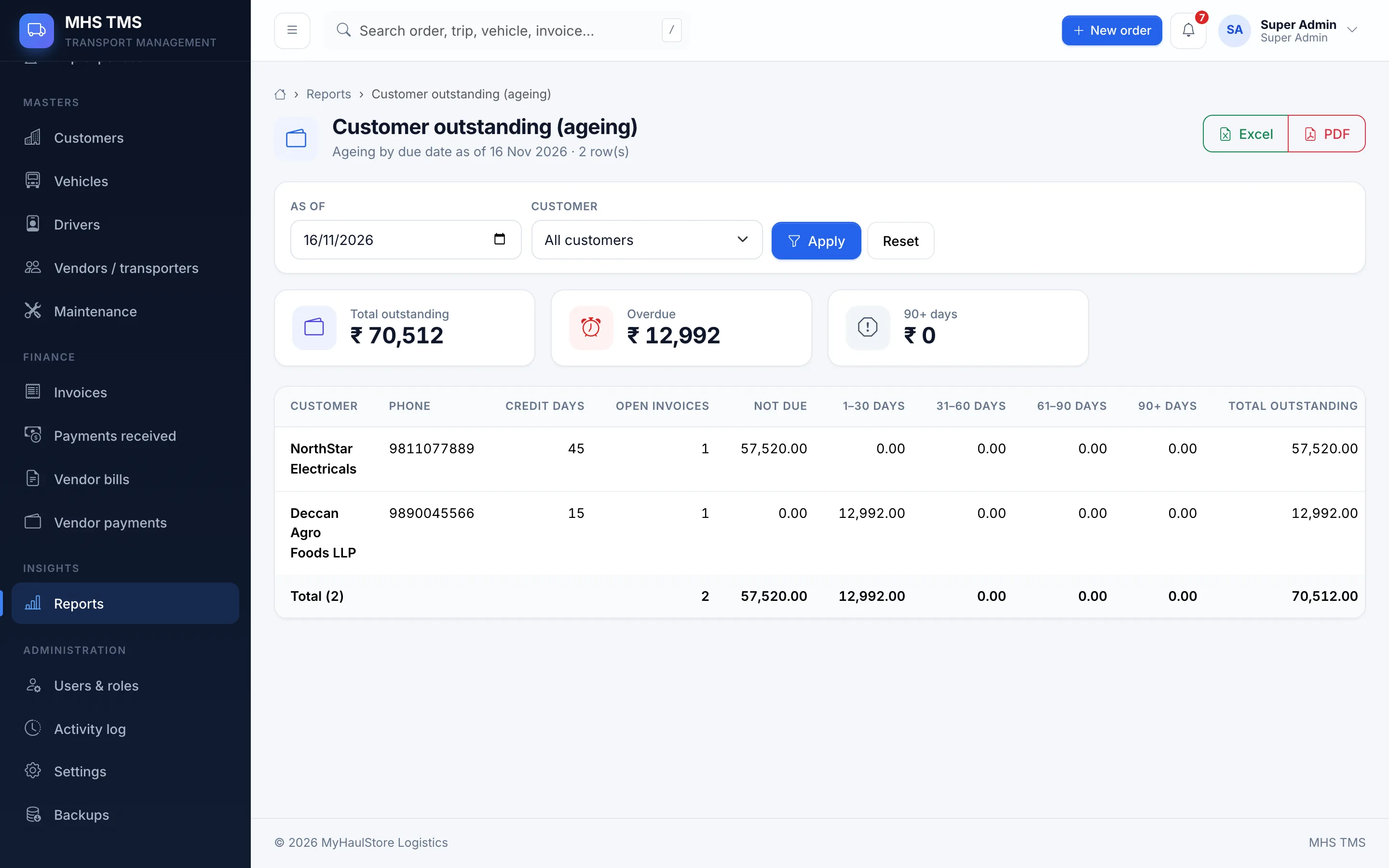
  • Customer revenue & outstanding ageing
  • Pending deliveries, vendor payments
reports & analytics
Reports & analytics screen
Everything included

12 modules, one system

Dashboard

KPIs, charts and alerts for the whole operation.

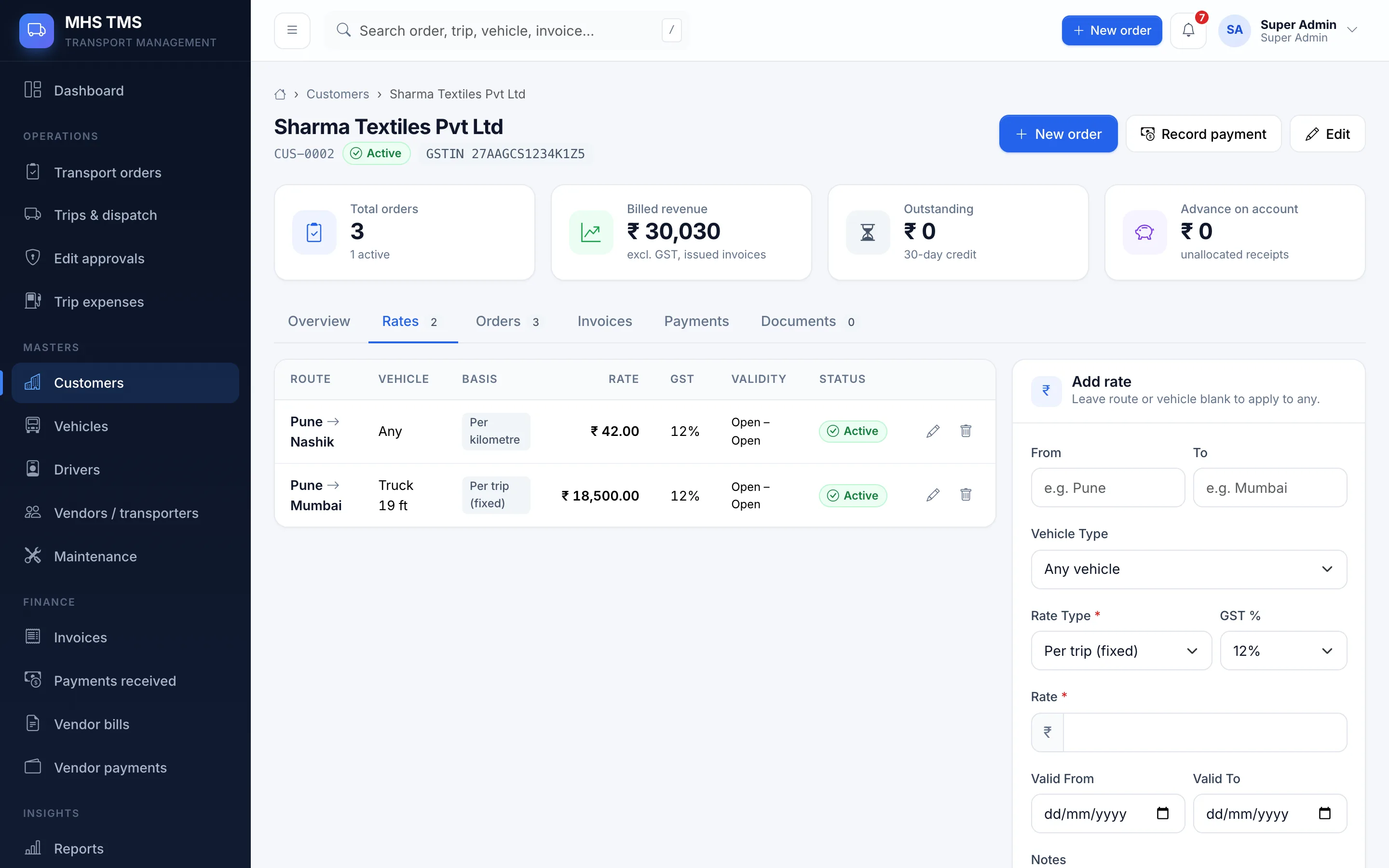
Customers

Profiles, GST, addresses, rate cards, order & payment history.

Transport orders

Order ID, locations, goods, dates, documents, status.

Vehicles

Registration, capacity, insurance/fitness/permit, availability.

Drivers

Licence & expiry, ID documents, availability, trip history.

Trips & dispatch

Assignment, km readings, trip sheets, dispatch documents.

Trip status

Manual updates with user, time, remarks and POD uploads.

Fuel & expenses

Fuel, toll, loading, allowances, receipts, trip P&L.

Vendors / transporters

Hired vehicles & drivers, bills, payments, history.

Billing & payments

GST invoices, advances, receipts, overdue tracking.

Maintenance

Servicing, repairs, costs and next-service schedule.

Admin & audit

Users, roles, settings, activity log, backups, API.

Reports & analytics

Nine reports. One click to Excel or PDF.

Filter by date, customer, vehicle or driver; totals are calculated for you.

Order-wise reportEvery transport order with route, goods, trips and freight.
Trip-wise reportEach trip with vehicle, driver, dispatch / delivery dates and distance.
Vehicle utilisationTrips, kilometres and days on the road per vehicle versus the period.
Driver performanceTrips, distance, on-time delivery rate and expenses per driver.
Pending deliveriesTrips not yet delivered, with days late against the expected date.
Customer-wise revenueOrders, delivered trips and invoiced revenue per customer.
Trip expense & profitabilityFreight against fuel, toll, other expenses and vendor hire for each delivered trip.
Customer outstanding (ageing)Unpaid invoice balances by age: not due, 0–30, 31–60, 61–90, 90+ days overdue.
Vendor paymentsBills, TDS, payments and balance per transporter.
ExcelPDFPrint
reports
Reports index
customer outstanding
Outstanding ageing report
Driver portal on mobile
Trip update on mobile
Dashboard on mobile
Responsive by design

Drivers update trips from their phone

Every screen adapts to mobile, tablet and desktop. Drivers get big one-tap buttons to mark a trip dispatched, in transit or delivered, snap the signed challan as proof of delivery, and log fuel or toll on the spot.

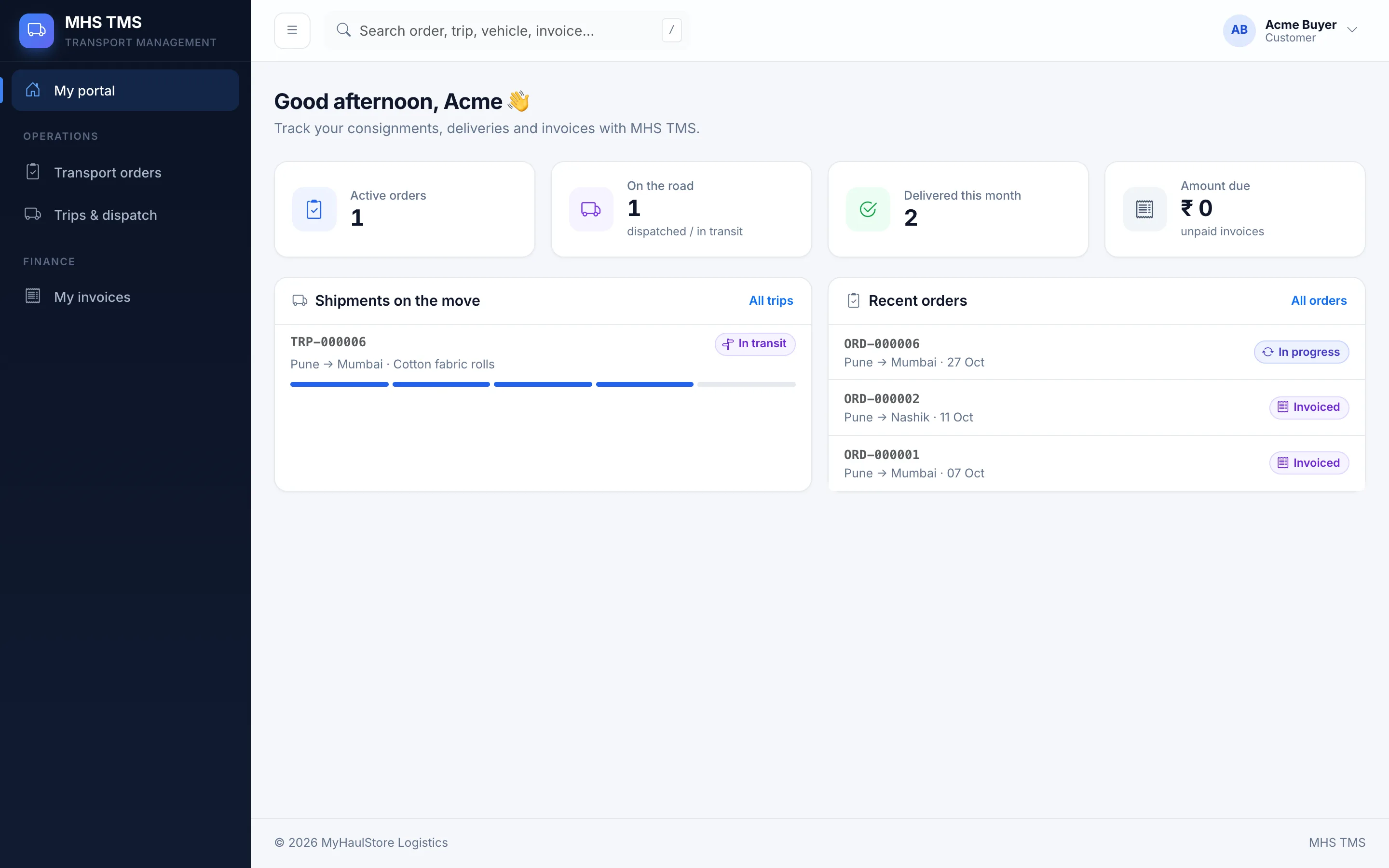
  • Driver, customer and vendor portals
  • Each portal sees only its own records
  • Photo upload straight from the camera
  • JSON API for future mobile apps
Roles & security

The right access for every person

Eight built-in roles. Every page checks permissions, and portal users are locked to their own data.

Super AdminComplete access, settings, users and permissions
Transport ManagerOrders, trips, vehicles, drivers, approvals
Operations ExecutiveCreate orders, assign vehicles, update status
Fleet ManagerVehicles, maintenance and availability
Accounts / FinanceInvoices, expenses, payments, vendor bills
DriverOwn trips: status updates, expenses, POD
CustomerOwn orders, delivery status and invoices
Vendor / TransporterAssigned trips, submit bills & documents
Audit logWho changed what, when — with old and new values.
Locked recordsCompleted trips need approval to edit; issued invoices can only be cancelled.
Protected filesDocuments are stored privately and served only after an access check.
BackupsOne-click database backups, downloadable by the Super Admin.

Ready to run your trips the easy way?

Sign in with the account your administrator created for you.

Sign in to TMS